The Building Is the Customer: A Freeholder’s Guide to Shared Broadband
Photo: Derek Harper , CC BY-SA 2.0, via Wikimedia Commons
The router by the door is a symptom, not a plan
Walk into many small blocks and you can spot the connectivity strategy in about four seconds. There is a fibre cable stapled along the skirting, a router balanced on a shoe rack, and a note taped to the door saying please do not switch off. It works, sort of. It also means the building’s digital infrastructure has been improvised around one leaseholder’s hallway socket.
That is fine until the tenant moves out, the router fails, a second operator wants access, or the managing agent needs to explain what the service charge is actually paying for. In a small block, broadband is not just a flat-level utility. It is shared plant, like the communal boiler, the rear gate or the bin store. The sooner it is treated that way, the fewer awkward emails land in the freeholder’s inbox.
The good news is that a small-block connectivity plan does not need to be a mega-project. It needs a clear owner, a simple record, sensible physical arrangements and a fair process for access.
What counts as shared plant?
Start by drawing a line between what is inside a leaseholder’s flat and what serves the building. The exact boundary depends on leases and legal advice, but common examples include the incoming duct, the riser, the telecoms cupboard, shared trays and trunking, landlord-owned switches or access points, and any power circuit feeding that kit.
A useful test is: if it cannot be removed without affecting another flat or the building’s fabric, it belongs in the building plan. That does not mean the freeholder has to run a broadband service. It means the freeholder should know what exists, who installed it, what it feeds and who is allowed to touch it.
This is where many small blocks drift. One operator arrives, installs a box, and leaves. Another arrives a year later and drills a second hole because nobody can find the first one. A third asks to use the cupboard and is told to speak to a leaseholder who moved out in 2022. The building ends up with three overlapping arrangements and no single diagram.
Wayleaves, codes and the polite version of permission
Most freeholders have heard the word wayleave and quietly hoped it would never come up. In simple terms, it is permission for an operator to install and keep apparatus on or in the building. For a block of flats, the practical question is who can agree that permission and on what terms.
The Electronic Communications Code gives operators certain rights, but that does not mean a freeholder should hand over a key and hope for the best. A written wayleave or agreement should cover the route, the equipment, access arrangements, insurance, reinstatement and what happens when the operator leaves. Legal advice is worth having before signing anything that affects common property.
There is also a cultural point. Altnets and national operators are building in many UK towns, and a small block may get approaches from more than one. A freeholder who says “send us your standard wayleave” is easier to deal with than one who says “the chap in flat 4 handles that”. A published process is not bureaucracy. It is how you avoid a different deal for every doorbell.
Power, space and a door that closes
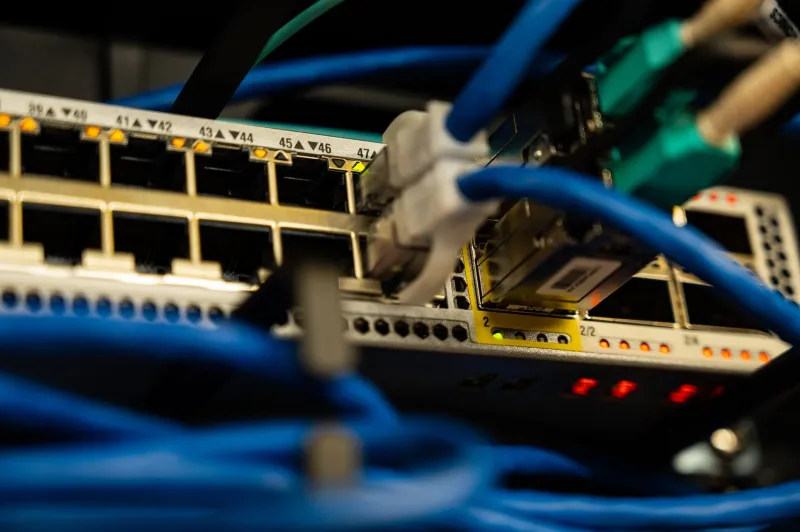
Shared connectivity fails in boring ways. The cupboard is too small. The power socket is on a leaseholder’s supply. The door does not lock. The shelf is sagging under a stack of old modems. The cable entry is open to the weather. None of this is glamorous, but it is exactly the sort of thing that turns a simple fibre upgrade into a three-week argument.
Aim for a dedicated, lockable space with ventilation, a labelled power point on the landlord’s supply, and enough room for a small switch, an ONT or two and a patch panel. It does not have to be a data centre. A tidy cupboard with a shelf, a light and a fire-rated door is a reasonable goal.
Also think about fire stopping and cable routes. Cables passing through compartment walls or floors should be sealed properly. If an installer wants to drill through a communal wall, that is a building decision, not a favour to one flat. Keep the route drawing with the building records so the next engineer does not guess.
Labels and a handover pack
A small label is cheaper than a site visit. Every cable, box and power supply should say what it is, where it goes and who owns it. Use flat numbers, not nicknames. “Flat 6 – Openreach ONT – landlord supply – installed by [operator]” is useful. “Hallway box” is not.
The freeholder or managing agent should keep a connectivity handover pack alongside the other building documents. It can be modest: a photo of the cupboard, a simple schematic, wayleave copies, operator contacts, key or fob records, and a note of which circuits are on the landlord’s supply. If the managing agent changes, the pack moves with the building.
This also helps with service charges. If the building pays for power or maintenance, leaseholders should be able to see what the cost relates to. A clear record turns a mysterious line item into a straightforward building service.
Fair access for altnets without chaos
Fair access does not mean every operator gets a key and a drill. It means there is a published route, a contact, a standard set of requirements and a consistent answer. An operator should be able to ask for access, provide insurance and method statements, and be told where they can and cannot work.
Where possible, avoid exclusive deals that quietly lock out other providers unless there is a clear reason and proper advice. In a small block, competition is thin enough already. A building that is easy to serve is more likely to get served.
A short checklist for the next management meeting
- Identify every piece of shared telecoms kit and who owns it.
- Check the power supply, locking, ventilation and fire stopping in the comms space.
- Put wayleaves and access agreements in one folder.
- Label cables and keep a simple schematic.
- Publish an access process for operators.
- Add connectivity to the building handover pack.
None of this requires a resident tech expert. It requires the freeholder or managing agent to treat broadband in the hallway as part of the building, not as a tenant’s private experiment. Do that, and the next fibre upgrade is a maintenance job rather than a mystery.