The Quiet Drain: Auditing Your PoE Budget Before the Switch Calls Time
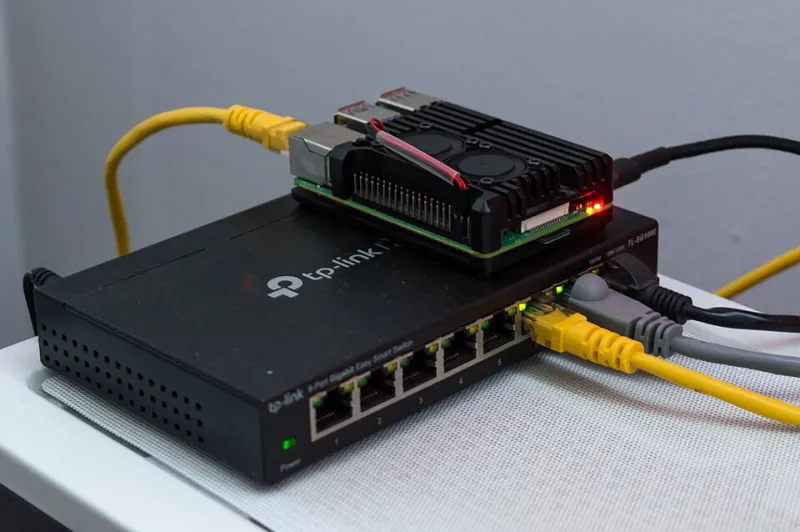
Photo: RAIL P (RAIL.PHOTOGRAPHY), CC0, via Wikimedia Commons
Every PoE story starts the same way. The switch is in, the rack looks tidy, and someone says the words "it's only one more camera". Six weeks later the back-garden cam reboots whenever the heating comes on, the doorbell drops off the app, and the whole thing gets blamed on the Wi-Fi. It's almost never the Wi-Fi. It's the power budget, quietly spent months ago.
Power over Ethernet is the plumbing of a connected home or small office. It works fine right up until it doesn't, and when it stops working it does so in a way that looks like something else entirely. So before you add another device, it's worth doing the sum properly.
What the standard promises versus what you get
The numbers on the box are the ones at the switch end, not the ones at the device. Under 802.3af you'll see 15.4W quoted, but the device only ever sees 12.95W — the rest is lost in the cable. With 802.3at it's 30W at the port, 25.5W at the device. The newer 802.3bt types push 60W and 90W at the port for 51W and 71.3W at the far end.
That gap matters when you're adding things up on the back of an envelope. A camera rated at 12W is really drawing somewhere north of 13W at the switch, and that's before you allow for cable length and anything running warm in a loft in July.
The two numbers people forget to check
The first is the total power budget. A 24-port switch with a 120W budget sounds generous until you divide it: that's an average of 5W a port. Fine for a desk phone, hopeless for a PTZ camera with a heater.
The second is the per-port ceiling. Plenty of switches will happily advertise a large total while only supporting 802.3af on every port. If your new access point wants 802.3at — and most Wi-Fi 7 units do — it'll either refuse to boot at full power, throttle its radios, or fall back to a lower mode you didn't plan for.
Both numbers have to clear. A switch can have watts left in the pot and still not be able to give one port what it needs.
Doing the sum like you mean it
Ignore the marketing figures and use the maximum draw from each device's datasheet or label. Real-world numbers for a typical UK install:
- Dome or turret camera: 7–9W by day, 12–15W at night once the IR illuminators kick in
- PTZ camera: 25–40W once the heater and motor are working
- Wi-Fi 6 access point: 12–18W under load
- Wi-Fi 7 access point: 20–30W, sometimes more with a 6GHz radio at full tilt
- Wired video entry panel: 10–15W
- Desk phone: 4–6W
- PoE splitter feeding a non-PoE device: add the device's draw plus 10–15% for conversion losses
Add them up, then add 20–30% headroom. That headroom isn't padding for the sake of it — it's what stops the switch from running its PSU at the edge of its comfort zone, which is exactly where cheap units start dropping ports.
The datasheet is not a contract
There's a particular breed of budget switch that lists a headline wattage and then hides the small print. Look for these before you buy:
- A total budget that assumes the switch is sitting in a 25°C room with nothing stacked on top of it
- 802.3at advertised per port, but only on ports 1–4
- No mention of 802.3bt anywhere, which means 60W devices are out
- A single shared budget with no per-port class reporting in the web interface
If the interface can't show you per-port power draw in watts, that's a warning sign. You want to be able to log in and see what each device is pulling, not guess.
Cable, heat and the runs you forgot about
Long runs drop voltage, and bundled cables in a conduit or a warm cupboard drop more. Cat5e will carry 802.3af and at over domestic distances without drama, but if you're planning 802.3bt for a PTZ or a big access point, Cat6 is the sensible floor and Cat6A removes the question entirely.
Also: a bundle of twelve cables all carrying power gets warm. Warm cable has higher resistance, which means more loss, which means less power at the device. It's rarely the deciding factor in a house, but in a small-office riser with thirty PoE runs it absolutely is.
Headroom for what 2026 is actually bringing
Wi-Fi 7 access points draw more than the ones they replace. Cameras keep gaining resolution and IR. Door entry panels are now small computers. If you're buying a switch this year, aim for a total budget at least double your current draw, and make sure every port can do 802.3at with a handful capable of bt.
That's not future-proofing for its own sake — it's the difference between adding a device next spring and rebuilding the rack.
A five-minute audit worth doing this weekend
- List every PoE device on the network, including the ones you forgot (the doorbell, the old desk phone in the spare room).
- Note each one's maximum draw from its datasheet.
- Log into the switch and read the actual per-port figures if it reports them.
- Compare the total against the switch's budget, and each device against its port class.
- Work out what percentage of the budget is already gone. If it's over 70%, plan.
If one device is the problem, a single-port PoE injector or a small midspan will buy you years. If the total is the problem, a second small switch uplinked to the core is usually cheaper and tidier than replacing a rack that's otherwise doing a perfectly good job.
And if you're sizing a UPS to keep the broadband and cameras alive through a power cut, do the PoE sum first — the UPS has to cover the switch's input draw, not the neat round number on the front of the box.