When the Meter and the Display Stop Talking: Fixing a Weak Smart Meter Signal
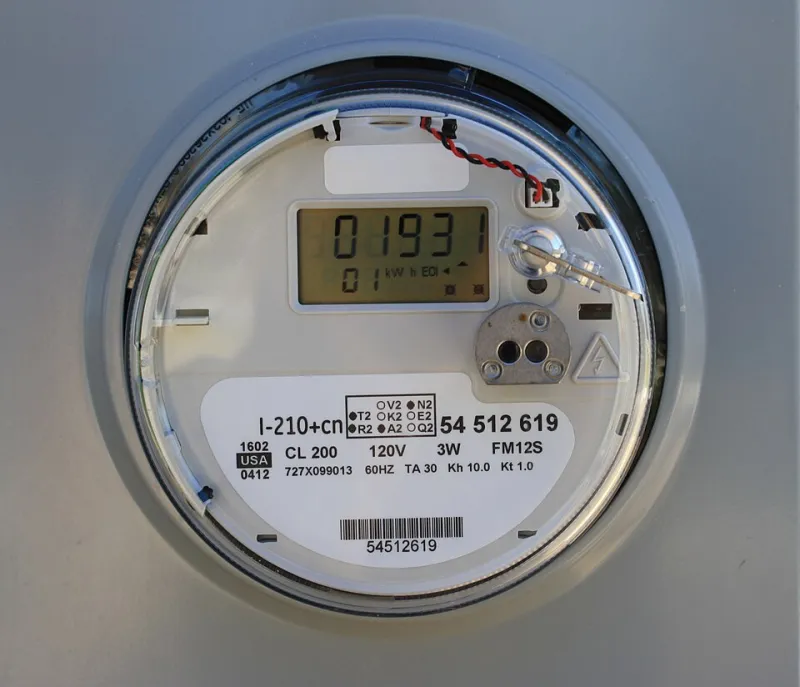
Photo: National Institute of Standards and Technology, Public domain, via Wikimedia Commons
There is a particular kind of frustration that comes from owning a smart meter that has decided, some time in the last fortnight, to stop being smart. The in-home display sits on the kitchen windowsill showing dashes. The app has not updated since Bonfire Night. And the meter itself, when you look at it, seems entirely fine.
Usually it is fine. What has failed is a short-range radio link, and the culprit is the building rather than the box.
Three radios, not one
It helps to know that a smart meter installation is really three separate conversations.
- The wide area network. The communications hub — the small unit clipped to or sitting beside the electricity meter — talks to the national network over a mobile-style radio link. This has nothing to do with your Wi-Fi.
- The home area network. Inside the property, the hub talks to the electricity meter, the gas meter, your in-home display, and sometimes a consumer access device, over a low-power 2.4GHz radio link called Zigbee.
- Your broadband. Almost entirely uninvolved. Your smart meter does not use your Wi-Fi, which surprises a lot of people and explains why rebooting the router never helps.
So when readings vanish, the first useful question is which conversation has stopped. If the supplier is still getting half-hourly readings but your display is blank, the wide area link is fine and the problem is purely local — the hub cannot reach the display. If the supplier has no readings either, you are looking at the hub or the mobile signal, and no amount of repositioning furniture will fix that.
Diagnosing it in ten minutes
Start with the display. Most will tell you something, even if it is only a signal indicator, a 'waiting for data' message, or an icon showing that the gas meter is missing while electricity is present.
Then run a few simple tests:
- Open the cupboard door. If the display picks up within a few minutes of the meter cupboard being open, you have your answer and it is the door.
- Move the display. It is usually on a plug-in adaptor, so it can go into another socket. Try a room closer to the meter, away from the fridge, the microwave, the television and the router.
- Watch for patterns. Readings that arrive overnight but not during the day often mean a neighbour's new kit, or a boiler or extractor running on the same circuit.
- Check whether it is just the gas. Gas meters run on batteries and wake up to talk, so a marginal link shows up there first.
- Check the supplier's app or website. If readings are landing there, the meter is doing its job and the fault is between the hub and your display.
The usual suspects in a UK home
The classic is the electricity meter in a metal-clad cupboard under the stairs, with a fused spur, a consumer unit, a Wi-Fi router and a decade of Christmas decorations for company. Metal boxes are excellent at stopping 2.4GHz, and a closed door makes a measurable difference.
Second is the solid wall. Stone cottages, rendered blockwork and anything with foil-backed insulation or a metal stud frame will eat a Zigbee link at a few metres. Third is height and clutter: a display on a low shelf behind a sofa is asking for trouble.
Renters often assume they can do nothing. In practice the display can nearly always move, and asking a landlord to fit a vented or louvred meter cupboard door is a reasonable, cheap request that also helps with damp.
What actually helps, and what does not
Helps: moving the display to line of sight with the meter cupboard; raising it off the floor; getting a longer low-voltage lead for the display; asking your supplier whether a home area network range extender is available — several provide or post them for free when the link is poor; asking for an engineer visit if the hub-to-meter link is failing, since that equipment is the supplier's responsibility and normally sealed.
Does not help: buying a cheap Zigbee repeater from a smart-home range. The meter network is a secured, closed network with its own security model, and general retail Zigbee plugs and bulbs will not join it. It is a common and expensive mistake.
Also, do not move the meter, the hub or the tails yourself. That kit is sealed, it is not yours, and the gas side carries an obvious risk.
What to say when you ring the supplier
Lead with the facts and you will halve the call. Say: what the display shows, whether the gas is connecting while the electricity is not, whether the supplier's own readings are arriving, how far the display is from the meter and what is between them — and that you have already tried moving the display. Mention the cupboard door.
Under the smart meter rules, suppliers are expected to take reasonable steps to get a faulty installation working again, and fixing their own equipment is normally free. That is a much stronger position to argue from than 'it doesn't work'.
A note on timing
If your link worked for two years and stopped the week the kitchen was rewired, or the week new shelving went into the understairs cupboard, or the week the foil-faced insulation went in, you already know the answer. Radio is a physical thing. Move the physical things, and the numbers usually come back.