The Media Plate Is Not a Promise: Checking Your New-Build's Data Cabling
Few phrases in a new-build handover work harder than 'data ready'. It can mean a proper star-wired network with a patch panel and tested outlets. It can also mean a media plate with a coax socket, a phone socket and an RJ45 hole that is connected to something mysterious. In 2026, with full fibre increasingly common and more of the home relying on a stable connection, it is worth checking which version you have before the broadband goes live and the sofa goes down.
First, Find Your Node Zero
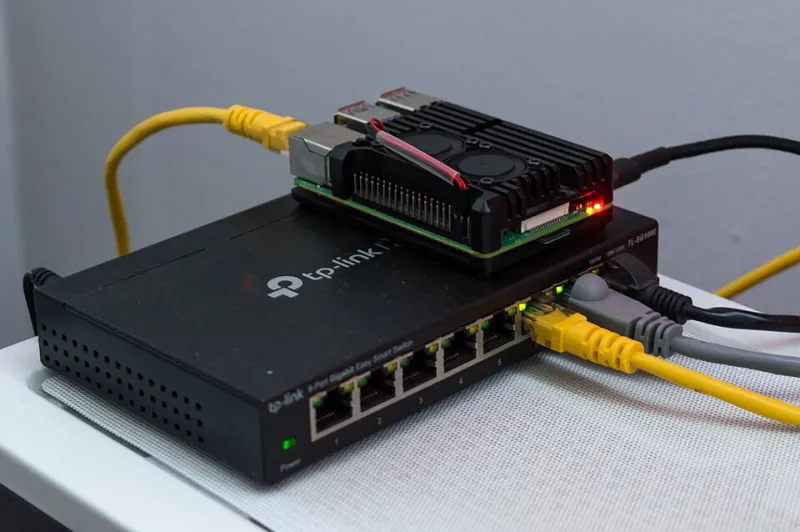
Every useful data installation has a point where the cables come together. In a new-build this is often a utility cupboard, under-stairs cupboard, garage, loft or a small comms cabinet near the front door. Look for a patch panel, a network switch, the fibre ONT, the router and perhaps an alarm panel. If all you can find is a single phone master socket and a loose cable, treat 'data ready' as a marketing phrase rather than a technical description.
Take photographs of the cupboard before you touch anything. Note which ports are labelled and whether the labels match the rooms. If there is no label scheme at all, that is not a disaster, but it does mean you will be spending an hour with a tone generator and a notebook.
What the Faceplates Are Telling You
A media plate can be a neat way to combine TV, phone and network outlets. It can also disguise what is behind it. Unscrew one plate carefully, with the power off at the consumer unit if you are in any doubt, and look at the cable jacket. You want to see Cat5e, Cat6 or Cat6a printed on the sheath. If you see a thin flat cable, a four-core phone cable or a six-core alarm cable, that is not Ethernet, even if it ends in an RJ45 socket.
Copper-clad aluminium cable is another one to watch for. It may work for a basic link, but it is less forgiving over distance and less suitable for Power over Ethernet. If the cable print says CCA rather than copper, make a note. It is not automatically a disaster, but it is a limitation you should know about before you plan cameras or access points.
The Two-Minute Test That Saves a Weekend
A basic RJ45 cable tester is cheap and boring, which is exactly what you want at handover. Plug the remote unit into each room outlet and the main unit into the corresponding port at the hub. You are looking for all eight pins in the right order, not just a link light. A tester that checks for split pairs is better than one that only beeps.
If you do not have a tester, a laptop and a known-good patch lead can still tell you something. Connect the laptop in the room, connect the hub end to a live switch, and see whether you get a link. That proves continuity, but it does not prove the cable is properly terminated or capable of the speed you expect. A tester is the better tool.
Test every outlet, not just the one behind the TV. Label each one with the room and a number, then write the results down. If a port fails, check the patch panel termination before assuming the cable is damaged. Loose punches and untrimmed strands are common.
Shortcuts You Will See Again and Again
Developers and their subcontractors are not all the same, but the same shortcuts turn up. Phone cable may be daisy-chained from room to room and then dressed up with RJ45 faceplates. A single cable may leave the hub and serve three rooms, which is fine for a phone extension and useless for a network. Cables may be stapled too tightly around corners or kinked behind plasterboard. Outlets may be in convenient places for the first fix rather than useful places for a desk, television or ceiling access point.
The hub itself is often overlooked. A network switch in a sealed loft in July is not a happy switch. A cupboard with no power socket, no ventilation and no shelf space is not a comms room, however neatly the cables are coiled. Check that the ONT and router have power, that there is room for a small switch, and that you can get to the kit without moving a tumble dryer.
Phone, Coax and Alarm Cable: Reuse With Caution
There is a useful exception. Some new-builds run Cat5e to phone points. If those cables are home runs back to the hub, you can often re-terminate them for data and get a workable link. The key words are 'home runs'. If the phone sockets are looped from one to the next, you cannot turn them into separate network points without re cabling.
Standard phone cable and alarm cable are not twisted pair in the way Ethernet expects. Coax is 75-ohm cable for TV and satellite, not a data cable. You can use coax for some networking technologies with converters, but that is a specialist choice, not a handover fix. Alarm cable may occasionally be Cat5e, but do not assume it. Read the sheath.
The Decision List Before Furniture Arrives
Decide where you actually need wired connections: the home office, the main TV, a ceiling access point, a doorbell, cameras, a heating system or a small server. Then compare that list with what the developer installed. If the important rooms are missing outlets, or the outlets are in the wrong place, it is much easier to deal with before flooring, skirting and furniture are in the way.
Raise the issue in writing during the snagging process. Ask for a simple as-built diagram showing which outlet goes to which port. If the developer will not fix it, get an independent cabling survey and a quote before you decide what to live with. A short run of conduit added now can save a painful chase later.
A Handover Checklist You Can Keep
- Find the central hub and photograph it.
- Check the cable print for Cat5e, Cat6 or Cat6a, and note any CCA cable.
- Test every outlet with a cable tester and record the results.
- Confirm whether outlets are home runs or daisy-chained.
- Check for power, space and ventilation at the hub.
- Look for kinks, tight staples and untested faceplates.
- Ask for labels or an as-built diagram in writing.
- Decide which rooms need extra outlets before the furniture arrives.
A new-build can be a great starting point for a connected home, but 'data ready' is only a promise until you have checked the cabling. Spend an hour at handover with a torch, a tester and a notebook. It is far less annoying than discovering the problem when the broadband engineer is standing in the hall and the desk is already bolted together.